
Your assistant
Connect your own AI (Claude Code or Codex) to Titan with an MCP key and the Titan AI docs.
You run Titan by talking to your own AI: Claude Code or Codex. It reads the Titan AI docs and works in Titan for you with a key you create.
1. Open your AI app
Use one of these. Both come with the subscription from What you need.
| AI | Subscription |
|---|---|
| Claude Code (in the Claude desktop app) | Claude Pro or higher |
| Codex (in the Codex app) | ChatGPT Plus or higher |
2. Create an MCP key
-
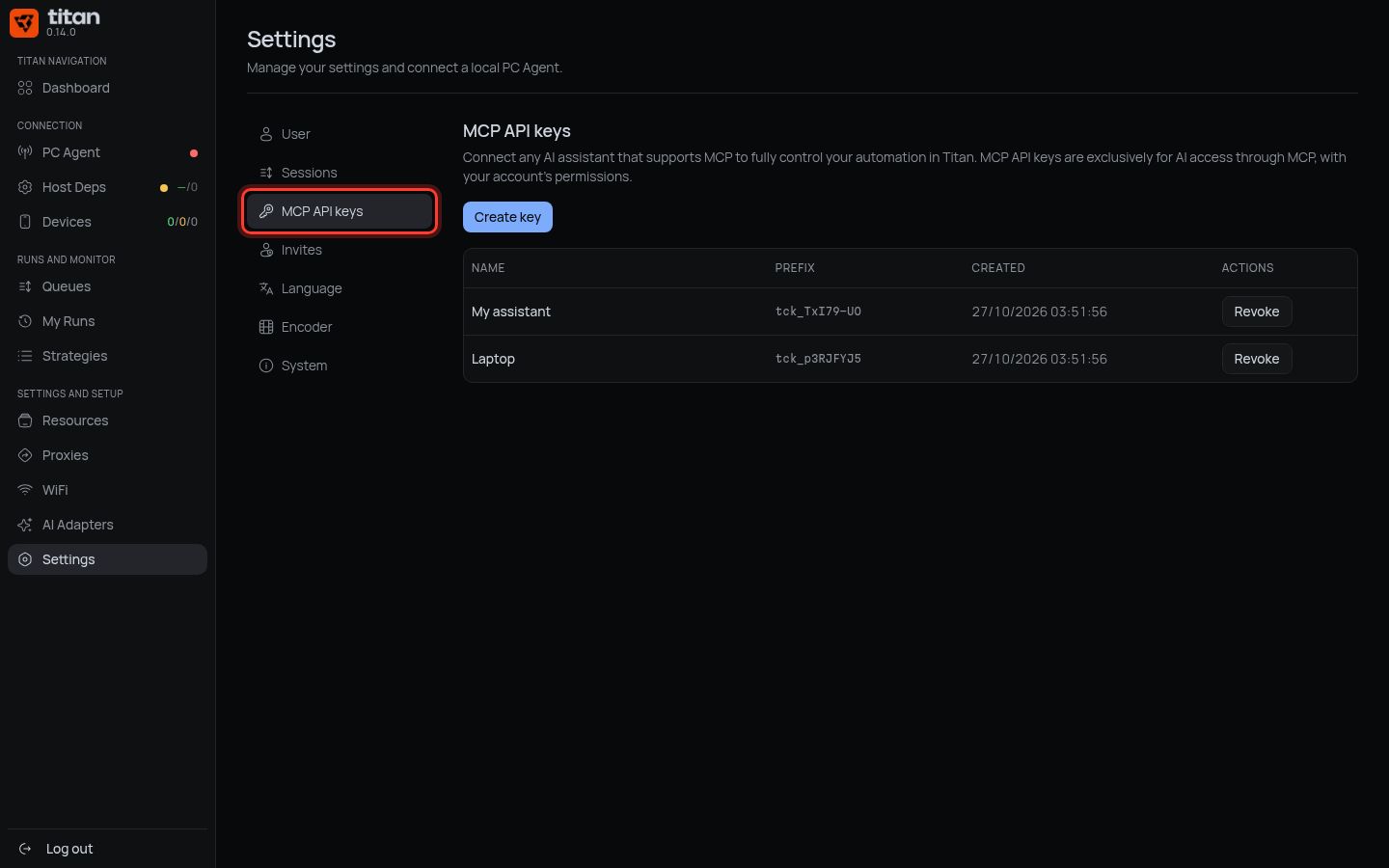
In Titan: left menu → Settings → MCP API keys.
-
Press Create key.
-
Key name: type
My AI. Press Create key.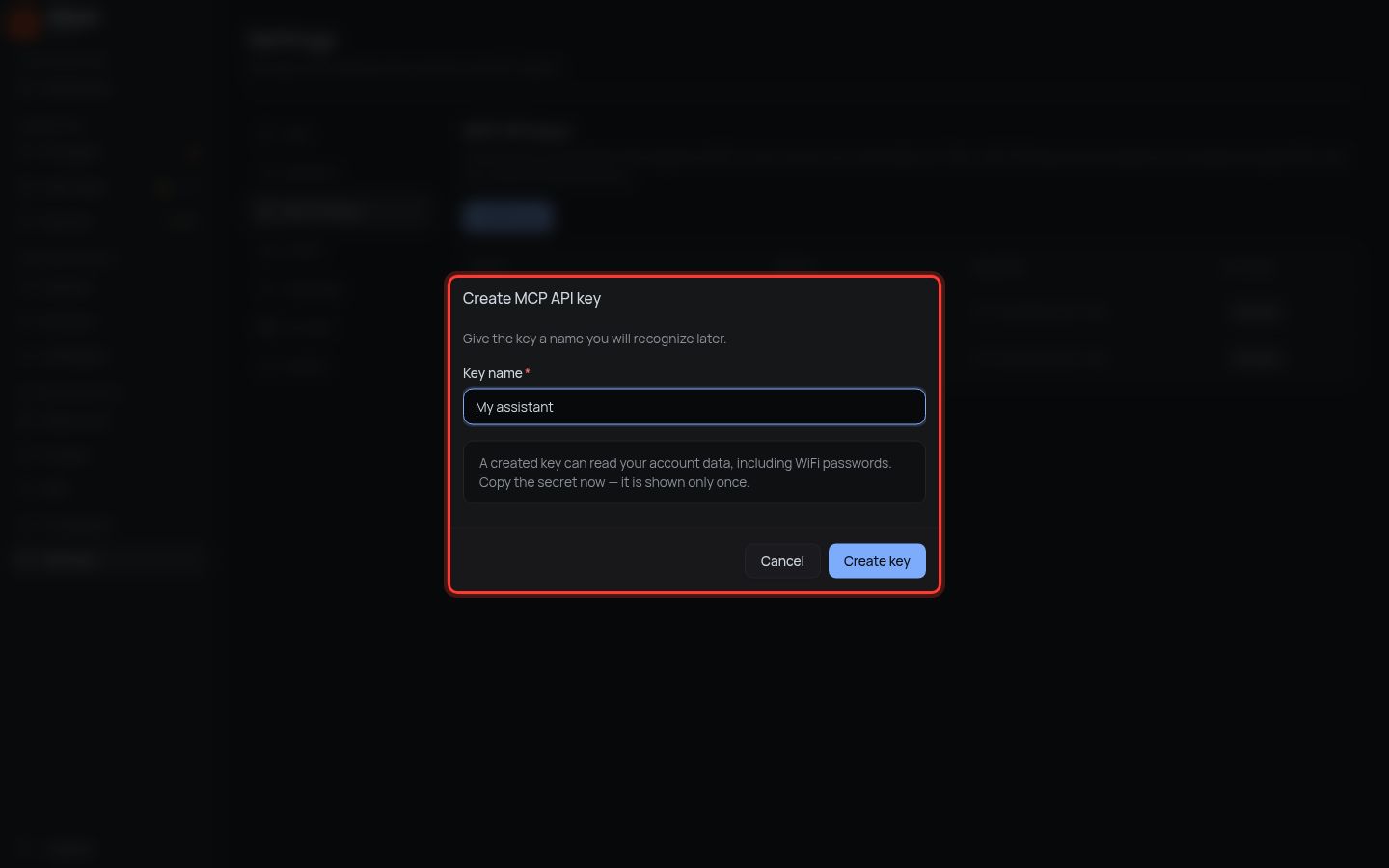
-
Press Copy secret, then Done.
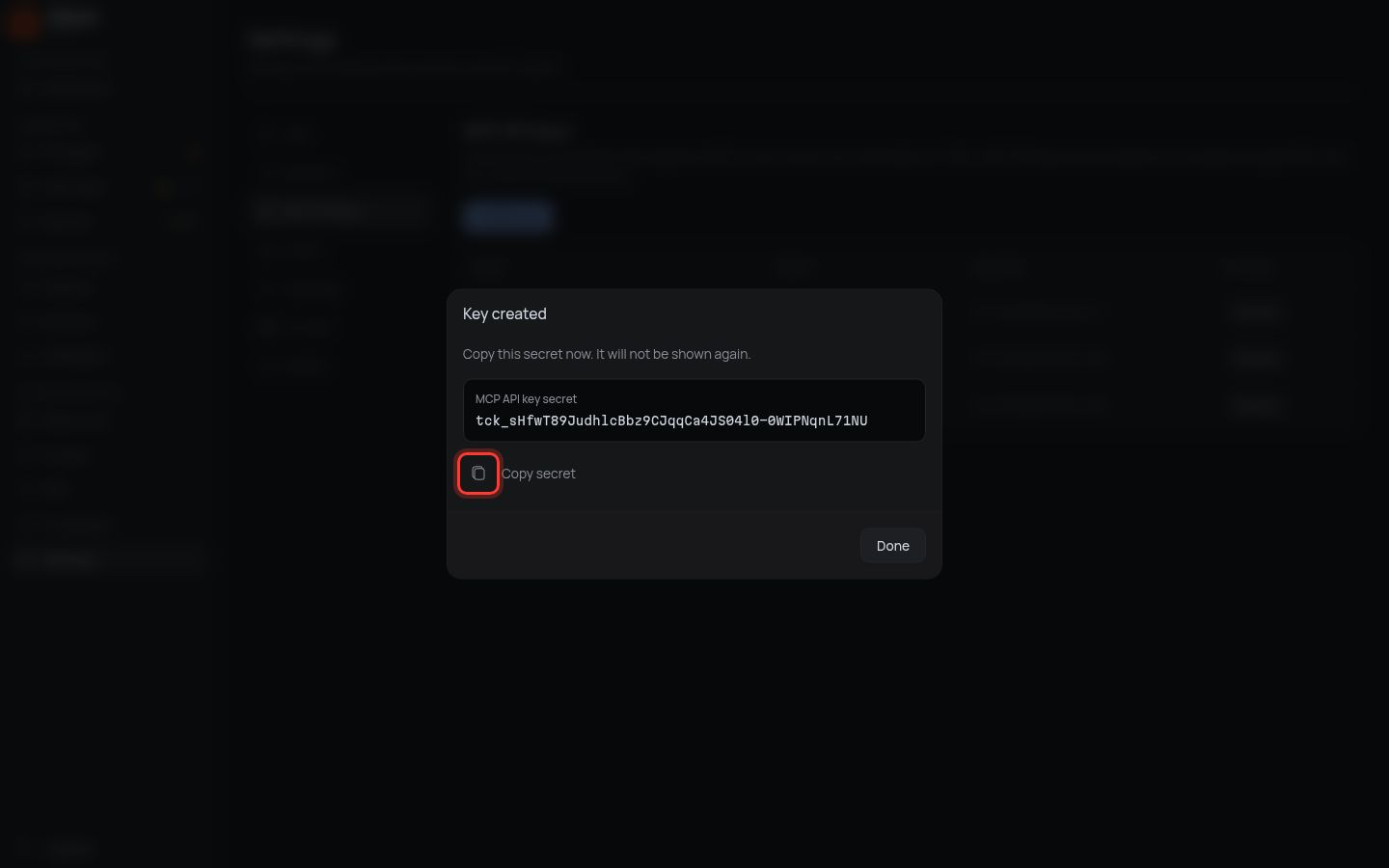
The key is shown once. It gives full access to your Titan account: give it only to your own AI.
3. Download the Titan AI docs
-
Under Assets, download
titan-ai-docs-….zip.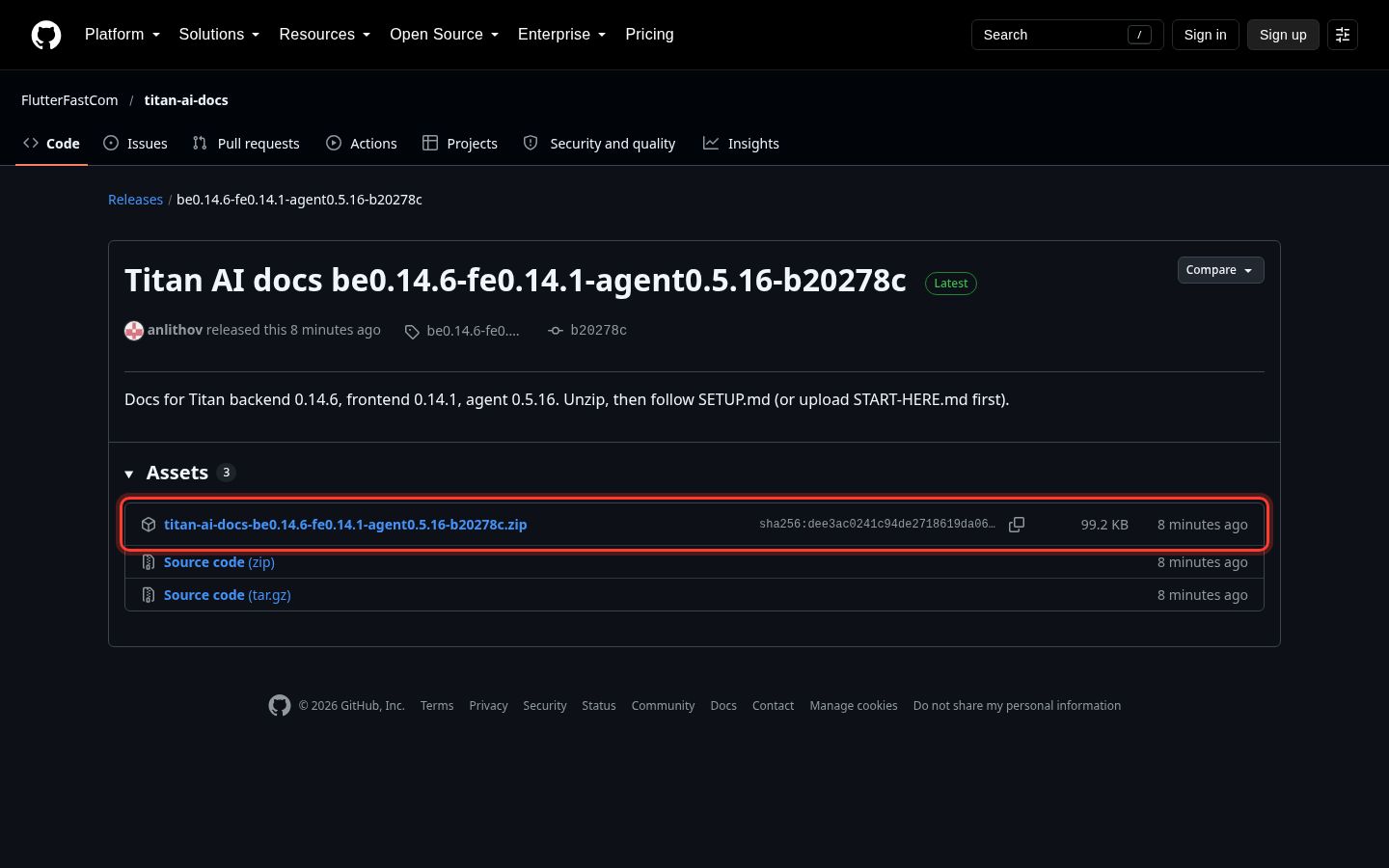
-
Unzip it into Documents. You get a folder named
titan-ai-docs.
4. Let your AI set itself up
-
In your AI app, open the
titan-ai-docsfolder. -
Paste this message, put your key in place of
PASTE-KEY-HERE, and send it:Set me up with Titan. This folder is the Titan AI docs. Read SETUP.md and do the whole setup for me. My Titan MCP key: PASTE-KEY-HERE Save the key in your own settings, never in a file inside this folder. When it works, show me my devices and tell me the next step. -
Allow what the AI asks to do. It may ask you to restart the app once.
Done when: your AI answers with your PC Agent and iPhones.
Every day after this
Open the titan-ai-docs folder in your AI and write what you want, in your own words: "import these accounts", "start the posting strategy on all phones", "what went wrong?".
If something is different
| You see | Do |
|---|---|
| The AI says the key is invalid | Create a new key (step 2) and send it to the AI again |
| Key limit reached (5) | In MCP API keys, press Revoke on a key you no longer use |
| The AI cannot find SETUP.md | You opened the wrong folder: open titan-ai-docs itself |
| The AI says the docs are outdated | Repeat step 3 to download the newest version |
Next: set up your iPhones.