
Connect an iPhone
Plug the iPhone in, trust the computer, turn on Developer Mode.
Start with one iPhone. Add the others the same way once the first one works.
1. Plug it in and trust the computer
-
Unlock the iPhone and plug it into the PC Agent computer with a data cable.
-
The iPhone asks Trust This Computer?. Tap Trust and enter the iPhone passcode.
2. Turn on Developer Mode
-
On the iPhone: Settings → Privacy & Security → Developer Mode.
-
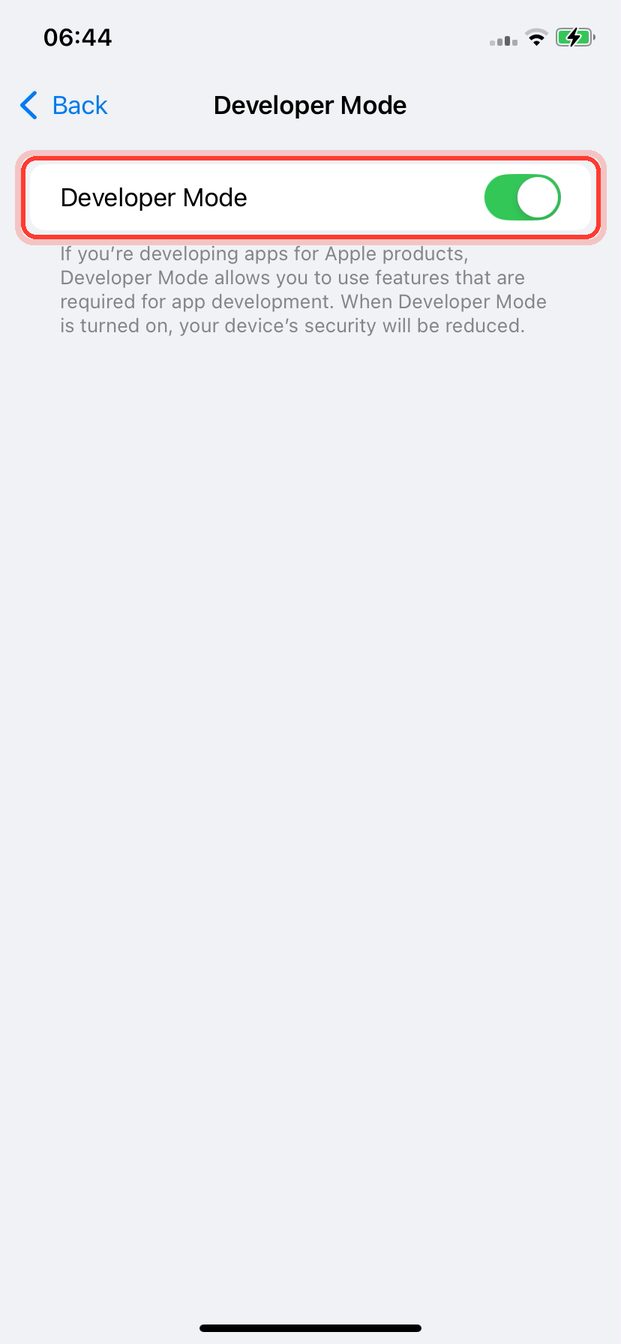
Look at the switch. Already green? Developer Mode is on: skip to 3. Add it in Titan.
-
Switch is off? Turn it on, then tap Restart.
-
After the restart, unlock the iPhone and tap Turn On in the message that appears.
No Developer Mode in the menu? Unplug the iPhone, plug it in again, wait a minute, look again.
3. Add it in Titan
-
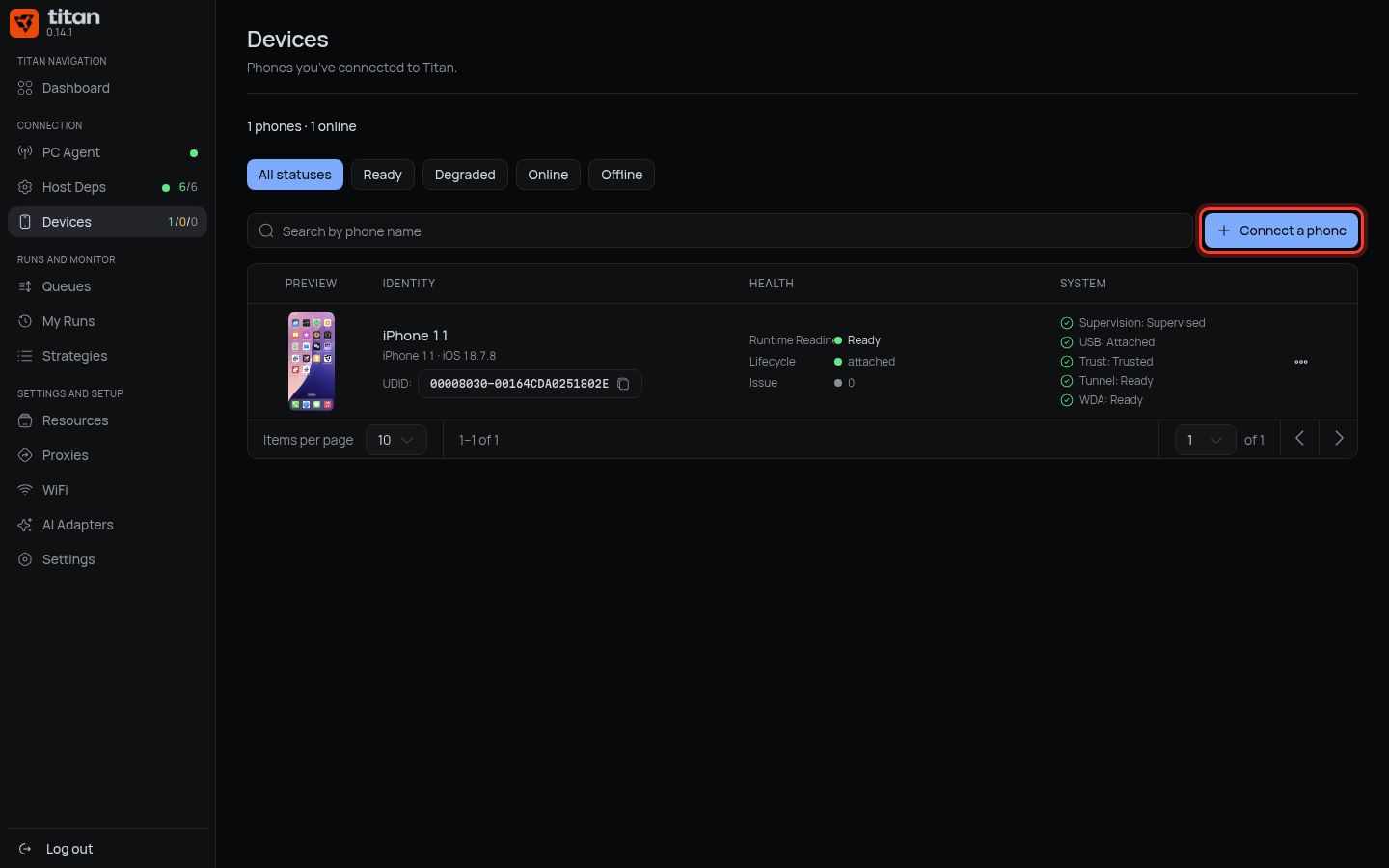
In Titan, press Devices in the left menu.
-
Press Connect a phone.
-
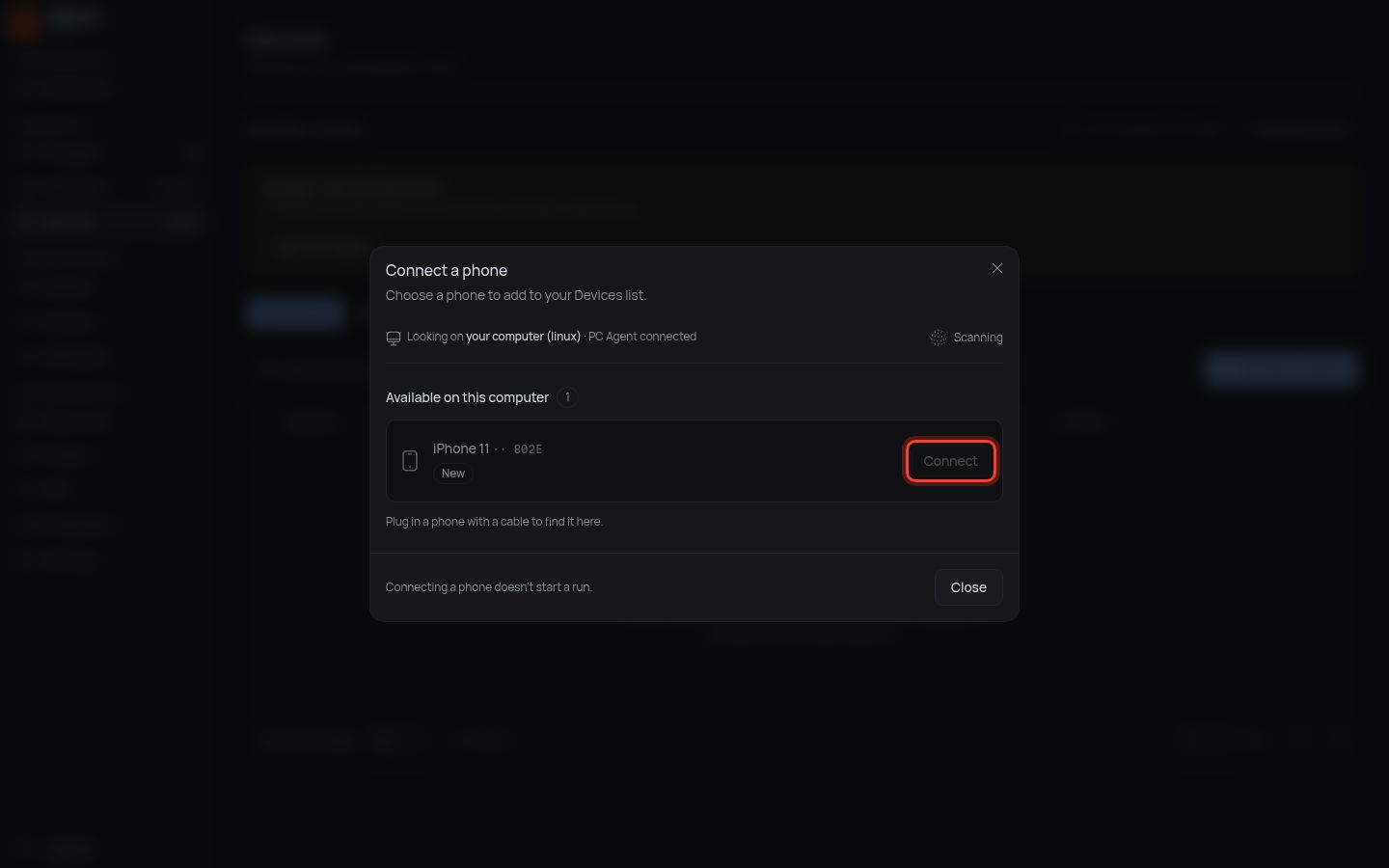
Your iPhone appears in the list. Press Connect next to it.
-
Titan says Unlock this phone and tap Trust? Tap Trust on the iPhone, then press Retry.
-
Wait for Connected · now in Devices.
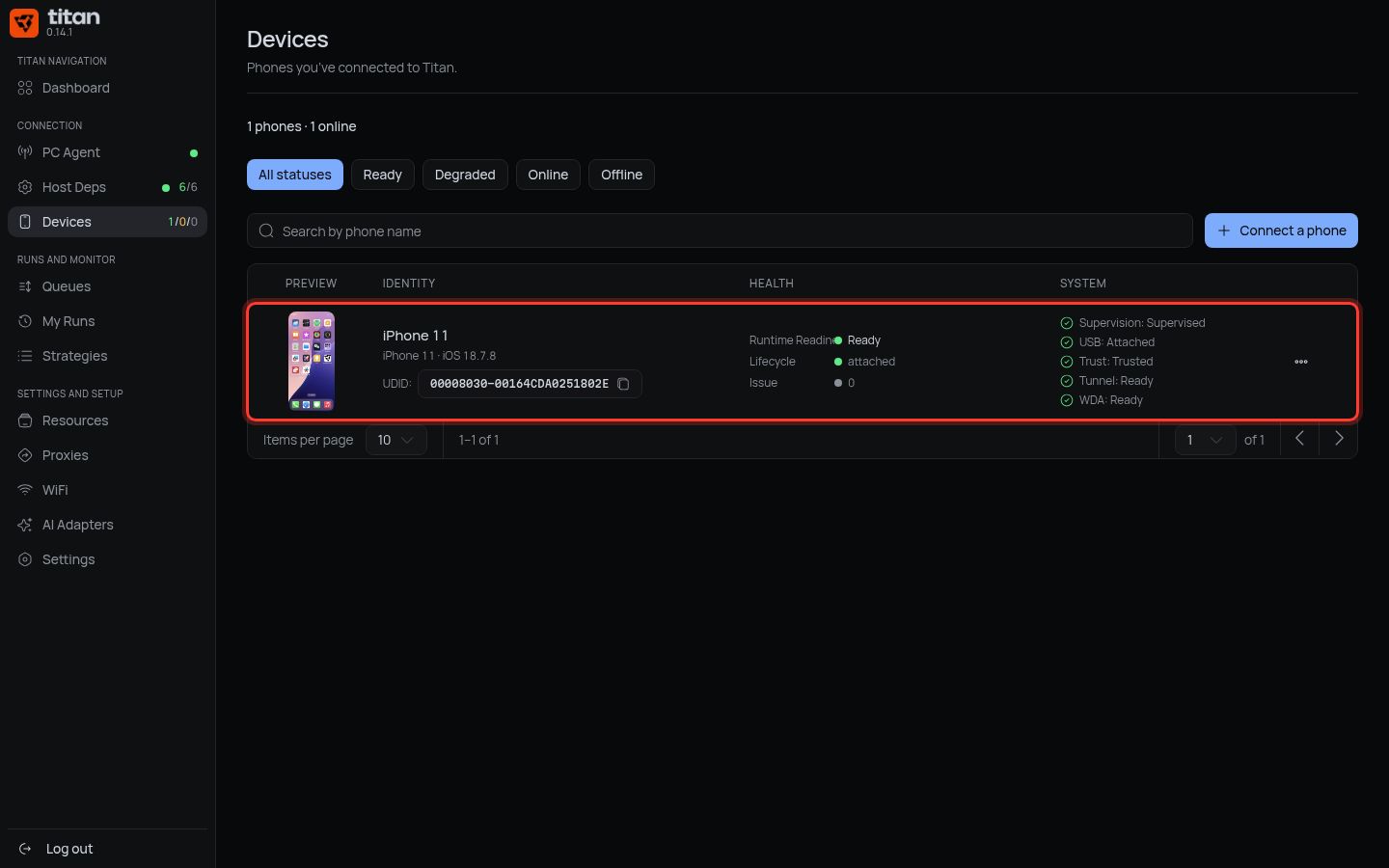
Done when: the iPhone is in the Devices list.
It is not ready to work yet: it still needs WDA (next step) and supervision.
Next: get WDA for this iPhone.